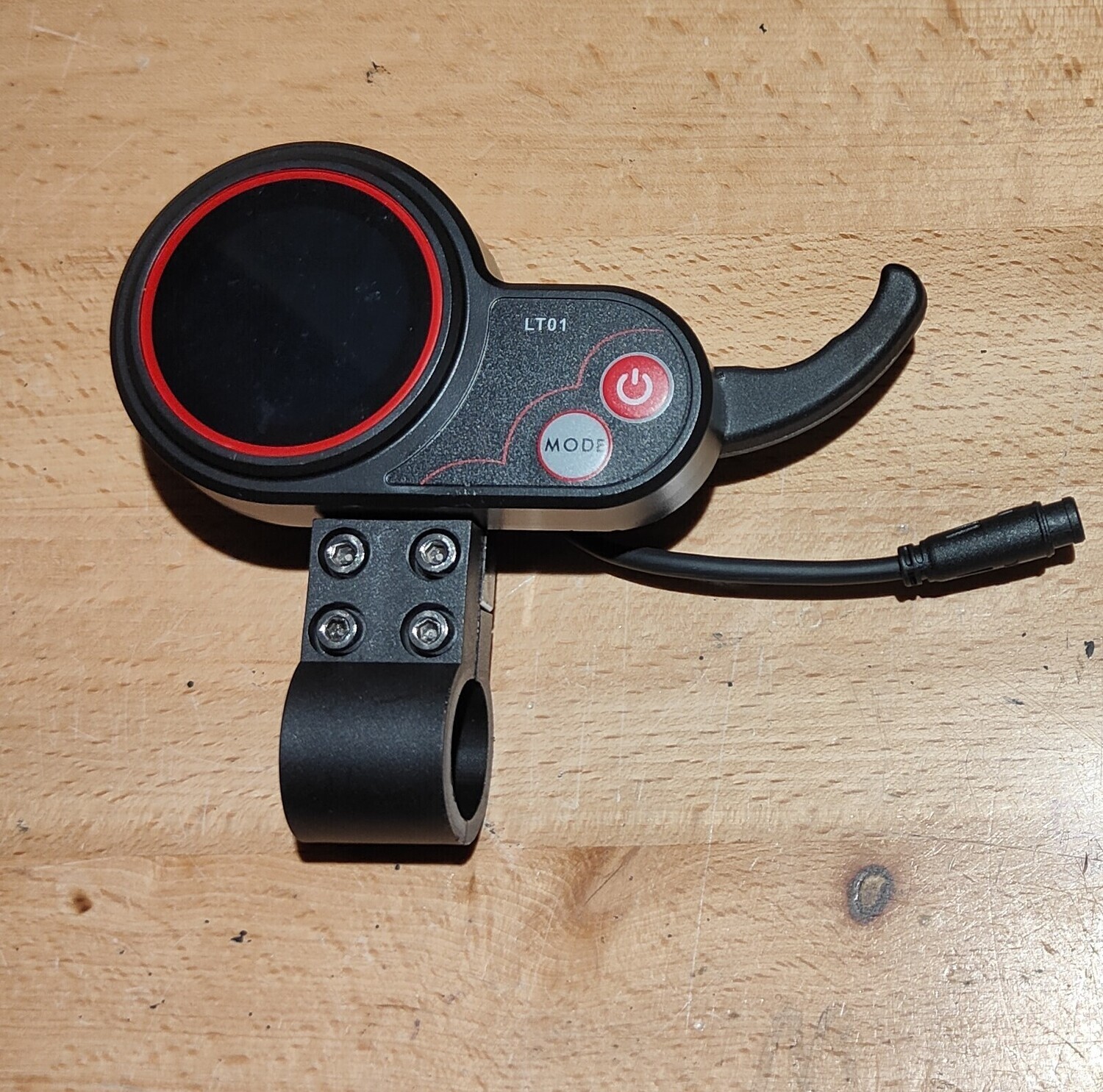
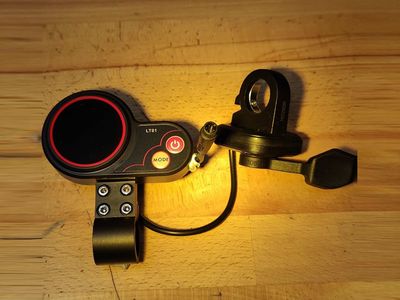
Kaabo LT01 Display/Throttle Finger (suit select Mantis & Wolf)
SKU K-DISPLAY-THROTTLE-LT01-FINGER-03.D.01001
AU$71.82
Bulk pricing available for quantities of 2 units or more
Suit Mantis 8/10 (non-Pro/SE/Elite), Wolf Warrior 11 Plus and X Plus.
In stock: 37 available
1
Buy more, save more
| Quantity | Price per item | Discount |
| 2 items | AU$69.09 | 4% off |
| 5 items | AU$61.82 | 14% off |
| 10 items | AU$52.73 | 27% off |
Save this product for later
Customer reviews
Reviews only from verified customers
No reviews yet. You can buy this product and be the first to leave a review.
Kaabo LT01 Display/Throttle Finger (suit select Mantis & Wolf)
Product Details
Brand: Kaabo
- The Kaabo LT01 Display/Throttle Finger (suit select Mantis & Wolf) is factory fitted on most pre-2025 Kaabo Mantis 8 & 10 such as Duo and Plus models, with exception for badges of Pro, SE and Elite models (which are MiniMotors EY3 models). Wolf Warrior 11 Plus (60V 26Ah) and X Plus (60V 21Ah) also used this throttle/display, also the Skywalker / Sky.
- LT01 uses what was subsequently known as K1 protocol (to differentiate between newer generation K2 protocol which is not supported by LT01).
- Also known as "LCD" due to having Liquid Crystal Display.
- Supplied as genuine Kaabo factory spare or as reputable OEM.
- Wired for plug-and-play installation with 5-pin M8 male plug.
- Includes mounting bracket.
- Nameplate: Front: LT01, Rear: LT01 018.6.
- A thumb throttle version is also available.
Notes:
- P-Settings advice:
- When fitting, always check key/critical P-Settings such as P1 (Controller Shut Down Voltage) before using eScooter.
- Typical default pin codes include 9221 (or 921) for older models, 1500 for newer models introduced 2021). Once the code is entered and displayed on the screen you then long hold the power button to submit and progress to P-Settings.
-
To prevent the 5 second timeout which exits P-Settings, continuously press the mode button to cycle through the settings to return to the one being assessed (more convenient than having to re-ender security code).
- P-Settings:
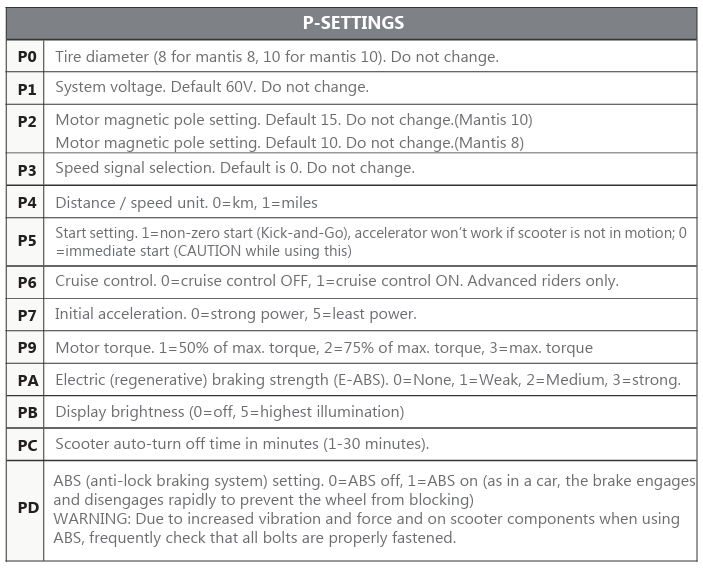
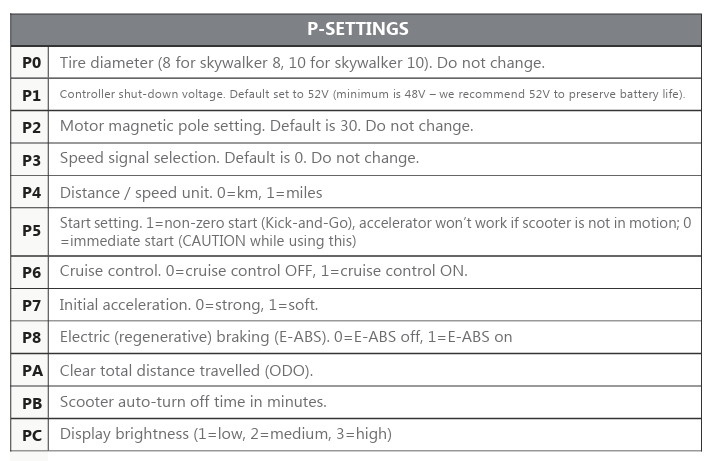
- P0 Tire Diameter: This informs your speedometer. Set to 8 for Mantis 8 and 10 for Mantis 10. Do not alter unless changing tire size or undertaking fine tuning. P2 may also influence speedometer.
- P1 System Voltage or Controller Shut-Down / Undervoltage Protection:
- On Older/alternative firmware, precise cut-off voltage is set at granular level: For example, 52.0V or 53.0V depending on battery spec/chemistry for 60V system, 42.0v for 48V system etc. Battery nameplate and battery voltage charts can inform the most appropriate value. Typically you want the this value to be set slightly higher than that of the battery's BMS which is often marked on battery nameplate.
- On Newer / Kaabo Native firmware, set to the appropriate system voltage which is the nominal voltage of the battery. Only specific values are able to be selected such as 36V, 48V, 52V, 60V or 72V.
The P1 setting is the only applicable to voltage. The non-Kaabo QS-S4 display on Zero eScooters have two voltage related P settings being P3 (nominal) and P15 (granular),
- P2 Motor Magnetic Pole (motor magnet count): This informs the controller of the motor's rotational position. Most Mantis 10 Duo and Pro have 30 magnets (manual suggests 15, potentially gear motors models), Mantis 8 is reported as 20 magnets although manual states 10.Changing values, along with P0 will likely influence speedometer.
- P3 Speed Signal Selection: Default is 0, the only applicable value. Do not change. This relates to how the controller detects speed.
- P4 Unit of Measure: 0 for kilometers (km/h), 1 for miles (mph).
- P5 Start Setting: Kick-Start (also known as push-to-start or non-zero start) requires rider to push scooter first before throttle can be applied. 0 for instant throttle (zero-start), 1 for kick-to-start (this offers the safest start).
- P6 Cruise Control: 0 to disable cruise control, 1 to enable it. Advanced riders only.
- P7 Initial Acceleration: Adjusts acceleration ramp-up strength. 0 Strong (hard), 1 Soft. Wee-bot suggests these values are the other way around. -
- P8 / PA Electric (regenerative) braking (E-ABS): Sets the braking strength. Set to 0 for off / disabled, 1 on / enable. Mantis manuals has this as PA with settings 0-4 whereby 1 weak, 3 strong. The electric brake helps prolonged brake pad life. Calibrate lever switch. Absent in Skywalker manual.
- P9 Engine Power / Motor Torque: Mantis manual suggests 1=50% of max torque, 2=75%, 3=max torque. Absent in Skywalker manual. Wee-bot suggests the values are percentage of otherwise unlimited top speed, for example if native unlimited top speed is 60km/hr, set to 41%).
- PA Odometer Reset: Reverts back to zero. Mantis manuals have this as Electric braking (P8).
- PB Display Brightness: according to Mantis manual. Skywalker manual is auto-turn off time in minutes.
- PC Auto Turn-Off Time: according to Mantis manual. SkyWalker manual is Display Brightness.
- PD ABS (anti-lock braking system): According to Mantis manual. Absent in Skywalker manual.
- Mantis 8 and 10 user manual (2023), extract (P8 absent):
- Skywalker user manual (2023), extract (note P1 is actually for 60V system):
- Further P-Setting guides:
- Wee-bot's write up includes detailed error codes.
- How to submit pin code to enter the P-Settings P-Settings courtesy Central Scoot (inappropriately titled "Zero"):
- Overview courtesy Epic Cycles
- The QS-S4 display appears identical other than physical nameplate markings on front/rear. QS-S4 is common on Zero makes and QS-S4 protocol is also implemented on VDM-10 such as Dragon Raptor. The QS-S4 signalling system is different to LT01 and pinouts may also vary. Ensure you identify the nameplate on the front of the display to ensure you have LT01 as other types are not interoperable.
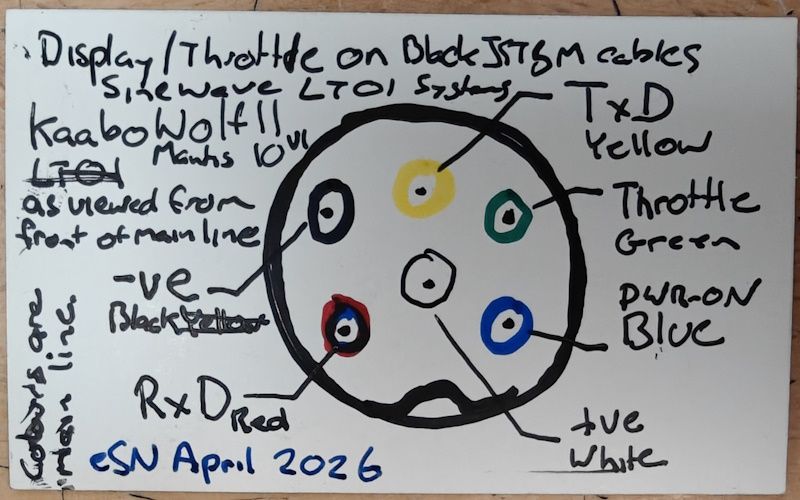
- It has been observed through 2025 a significant number of Chinese sellers were marketing LT01 displays but providing product that had QS-S4 marked on the rear. Such products were actually QS-S4 implementation (tested to work on Zero 10X) however when connected will inadvertently Power-ON immediately with power button unable to Power-OFF. Advice was to swap blue and white wires on the main line which swaps the Power and Power-ON wires on the VDM-10 display cable as explained in notes on the QS-S4 page. The modification makes the product work on QS-S4 systems. If you purchased one from AliExpress, be sure to demand a refund. They are typically priced $5-$10 less than that of other, more reputable sellers.
- Refer to eSN Kaabo Reference Materials page for further information including wiring diagrams and other helpful resources such as this relevant image (Sinewave/LT01 pinouts of version 1 Black JST).
You May Also Like
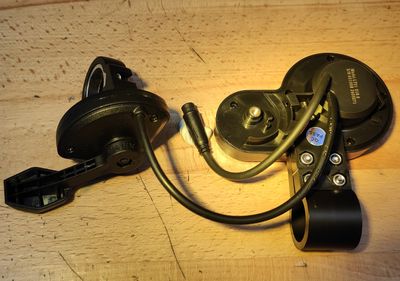
Kaabo LT01 Display/Throttle Thumb (suit select Mantis & Wolf)
Kaabo LT01 Display/Throttle Thumb (suit select Mantis & Wolf)
Suit Mantis 8/10 (non-Pro/SE/Elite), Wolf Warrior 11 Plus and X Plus.
AU$80.00
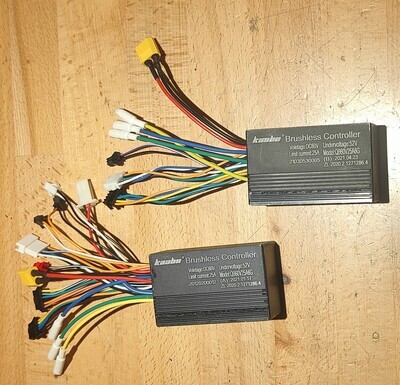
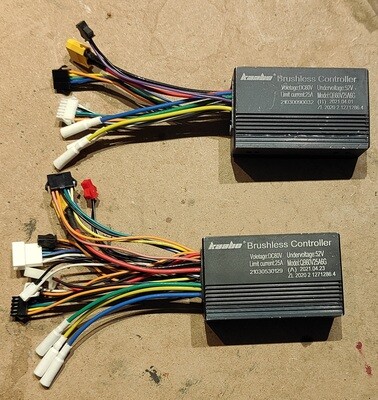
Kaabo Controller 60V 25A K1 V1 {LT01 & CM06-K1} (select Mantis 10 Plus)
Kaabo Controller 60V 25A K1 V1 {LT01 & CM06-K1} (select Mantis 10 Plus)
Suits Mantis 10 Plus prior to 2022, Black JST SM, Sine Wave.
AU$140.91
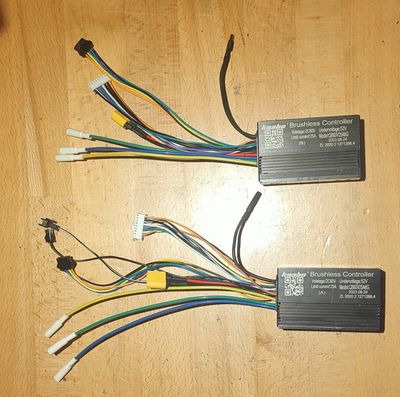
Kaabo Controller 60V 25A K1 V2 {LT01 & CM06-K1} (select Mantis 10 Plus)
Kaabo Controller 60V 25A K1 V2 {LT01 & CM06-K1} (select Mantis 10 Plus)
Suits Mantis 10 Plus ~2022-2024, White JST XH, Sine Wave.
AU$140.91
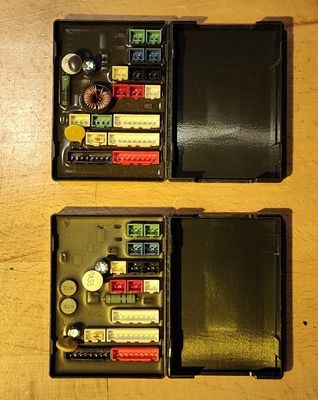
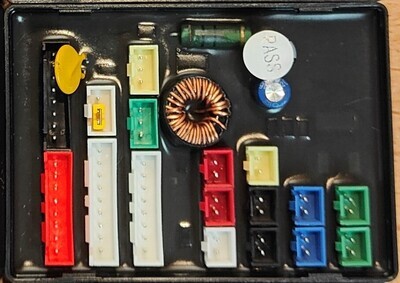
Kaabo Collar Box suit Mantis & Wolf X/GT (Wire Collection Board / Hub) (HUB-1)
Kaabo Collar Box suit Mantis & Wolf X/GT (Wire Collection Board / Hub) (HUB-1)
Accommodates white XH/XHB connectors
AU$41.82
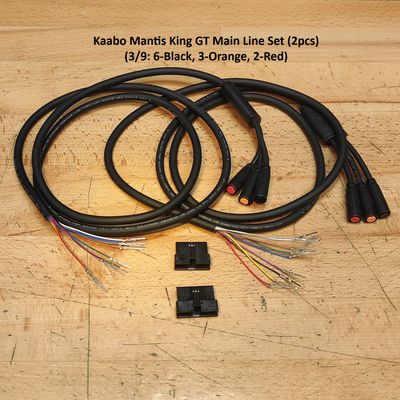
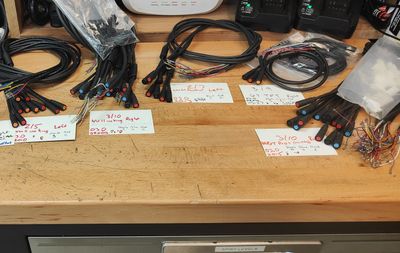
Kaabo Main Line (Main Cable) for Wolf and Mantis
Kaabo Main Line (Main Cable) for Wolf and Mantis
Extensive range of 20 different types for almost all models of Kaabo.
AU$41.82
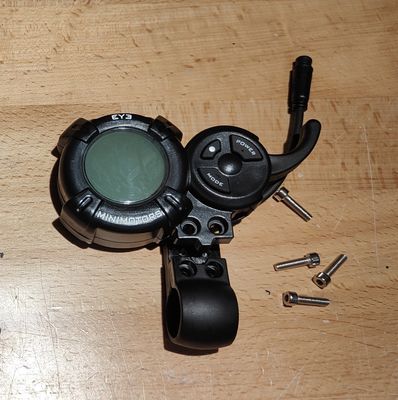
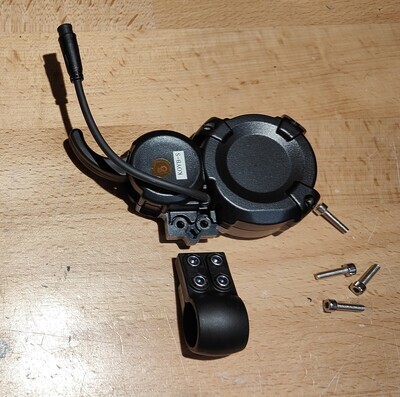
Kaabo Minimotors EY3 Finger Display/Throttle (suit select Mantis & Wolf)
Kaabo Minimotors EY3 Finger Display/Throttle (suit select Mantis & Wolf)
Suits Kaabo Mantis 8/10 Pro, Wolf Warrior 11 Pro+, King + and X Pro+.
AU$113.64
![Kaabo NFC Display/Throttle (suit select Mantis & Wolf) [CM06: K1 | K2]](https://d2j6dbq0eux0bg.cloudfront.net/images/60508924/products/841514580/5818713793.jpg "Kaabo NFC Display/Throttle (suit select Mantis & Wolf) [CM06: K1 | K2]")
![Kaabo NFC Display/Throttle (suit select Mantis & Wolf) [CM06: K1 | K2]](https://d2j6dbq0eux0bg.cloudfront.net/images/60508924/products/841514580/5818689234.jpg)
Kaabo NFC Display/Throttle (suit select Mantis & Wolf) [CM06: K1 | K2]
Kaabo NFC Display/Throttle (suit select Mantis & Wolf) [CM06: K1 | K2]
1.8, LCD, square screen. K1 for LT01 retrofit, K2 for newer builds.
AU$170.91
Display prices in:AUD